
<# EasyViewPagerUI_v0.1_Settings />
<!--
EasyViewpagerUI v0.1 Settings.
EasyViewPagerUI in Anywhere.
This Project is CustomView ViewPager.
Updated :
1. Max menampilkan 7 pages.
2. Penambahan Fitur Settings
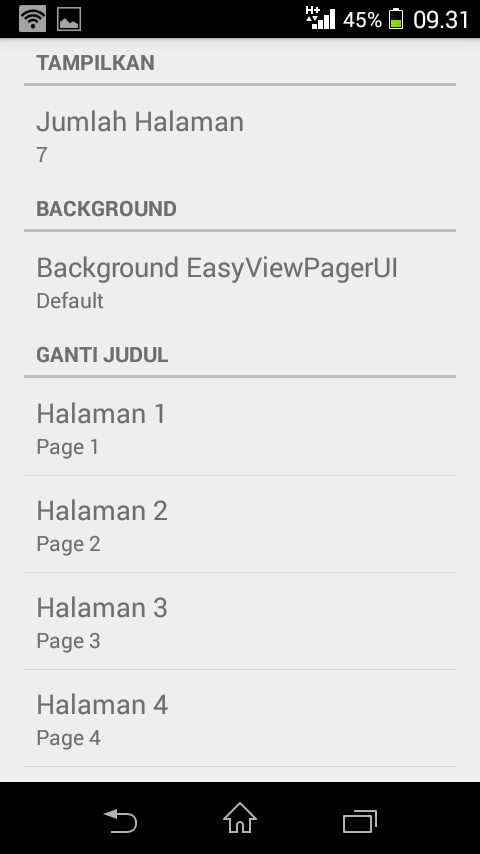
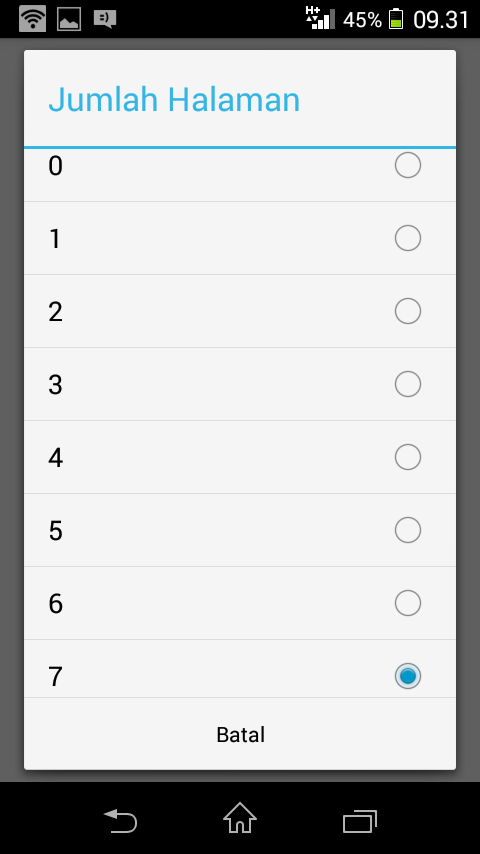
- Mengatur jumlah pages,
- Mengganti background EasyViewPagrUI,
- Mengganti judul page,
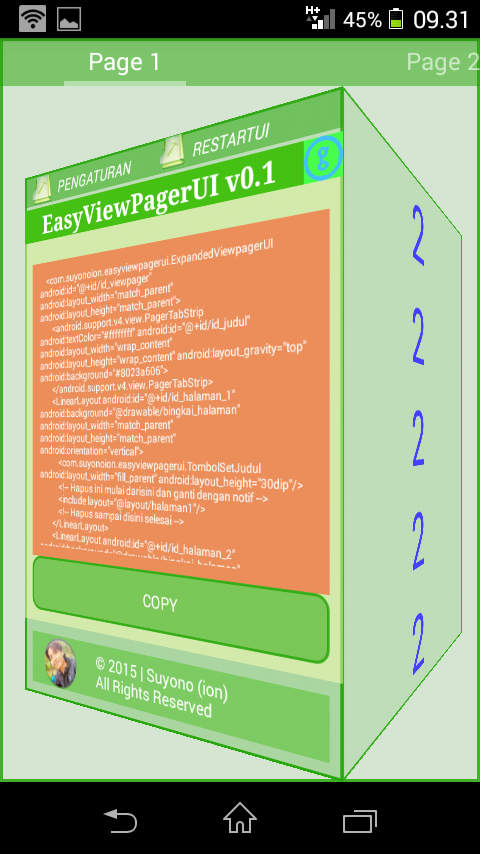
- Mengatur rotasi CubeOutTransformer,
- Info this EasyViewPagerUI v0.1 Settings.
3. Bonus (for rooted device)
- Restart SystemUI (Syarat terinstall BusyBox),
- Reboot phone,
- Reboot to recovery,
- Shutdown.
4. Seperti biasa NO COMPARE ID PUBLIC
5. Pasang dimanapun anda mau.
-->
-----------------GUIDE----------------------
BismillahirRohmanirRohiim...
1. Decompile SystemUI.apk
2. Mở AndroidManifest.xml
tìm code
</application>
đặt các code này nằm phía trên nó
<activity android:exported="true" android:label="Settings" android:name="com.suyonoion.easyviewpagerui.setEasyViewpagerUI"/>
<activity android:exported="true" android:label="RestartUI" android:name="com.suyonoion.easyviewpagerui.RestartUI"/>
3. Mở status_bar_expanded.xml
- tìm code
<com.android.systemui.statusbar.phone.NotificationPanelView android:id="@id/notification_panel" android:background="#00000000" android:paddingTop="@dimen/notification_panel_padding_top" android:layout_width="0.0dip" android:layout_height="wrap_content" android:layout_marginLeft="@dimen/notification_panel_margin_left"
xmlns:android="http://schemas.android.com/apk/res/android"
xmlns:systemui="http://schemas.android.com/apk/res/com.android.systemui">
đặt các code này nằm ngay dưới nó
<com.suyonoion.easyviewpagerui.ExpandedViewpagerUI android:id="@+id/id_viewpager" android:layout_width="match_parent" android:layout_height="match_parent">
<android.support.v4.view.PagerTabStrip android:textColor="#ffffffff" android:id="@+id/id_judul" android:layout_width="wrap_content" android:layout_height="wrap_content" android:layout_gravity="top" android:background="#8023a606">
</android.support.v4.view.PagerTabStrip>
<LinearLayout android:id="@+id/id_halaman_1" android:background="@drawable/bingkai_halaman" android:layout_width="match_parent" android:layout_height="match_parent" android:orientation="vertical">
<com.suyonoion.easyviewpagerui.TombolSetJudul android:layout_width="fill_parent" android:layout_height="30dip"/>
- tìm code
</com.android.systemui.statusbar.phone.NotificationPanelView>
đặt các code này nằm ngay phía trên nó
</LinearLayout>
<LinearLayout android:id="@+id/id_halaman_2" android:background="@drawable/bingkai_halaman" android:layout_width="match_parent" android:layout_height="match_parent" android:orientation="vertical">
<ScrollView android:layout_width="fill_parent" android:layout_height="fill_parent" android:layout_gravity="center">
<include layout="@layout/halaman2"/>
</ScrollView>
</LinearLayout>
<LinearLayout android:id="@+id/id_halaman_3" android:background="@drawable/bingkai_halaman" android:layout_width="match_parent" android:layout_height="match_parent" android:orientation="vertical">
<ScrollView android:layout_width="fill_parent" android:layout_height="fill_parent">
<include layout="@layout/halaman3"/>
</ScrollView>
</LinearLayout>
<LinearLayout android:id="@+id/id_halaman_4" android:background="@drawable/bingkai_halaman" android:layout_width="match_parent" android:layout_height="match_parent" android:orientation="vertical">
<ScrollView android:layout_width="fill_parent" android:layout_height="fill_parent">
<include layout="@layout/halaman4"/>
</ScrollView>
</LinearLayout>
<LinearLayout android:id="@+id/id_halaman_5" android:background="@drawable/bingkai_halaman" android:layout_width="match_parent" android:layout_height="match_parent" android:orientation="vertical">
<ScrollView android:layout_width="fill_parent" android:layout_height="fill_parent">
<include layout="@layout/halaman5"/>
</ScrollView>
</LinearLayout>
<LinearLayout android:id="@+id/id_halaman_6" android:background="@drawable/bingkai_halaman" android:layout_width="match_parent" android:layout_height="match_parent" android:orientation="vertical">
<ScrollView android:layout_width="fill_parent" android:layout_height="fill_parent">
<include layout="@layout/halaman6"/>
</ScrollView>
</LinearLayout>
<LinearLayout android:id="@+id/id_halaman_7" android:background="@drawable/bingkai_halaman" android:layout_width="match_parent" android:layout_height="match_parent" android:orientation="vertical">
<ScrollView android:layout_width="fill_parent" android:layout_height="fill_parent">
<include layout="@layout/halaman7"/>
</ScrollView>
</LinearLayout>
</com.suyonoion.easyviewpagerui.ExpandedViewpagerUI>
----------------------------------------------------------------------------------------------------
Recompile,
Chép META-INF từ SystemUI.apk qua SystemUI_src.apk
Tìm mọi thủ đoạn đưa UI vừa recom vào hệ thống
4. Demo Sample (Pilih Salah Satu) :
- GitHub : https://github.com/suyonoion/EasyViewPagerUI_v0.1_Settings/blob/master/Screenshots/EasyViewPagerUI_v0.1_SettingsViewpager.apk?raw=true
- DropBox : https://www.dropbox.com/s/sa4h8b7bsph92r8/EasyViewPagerUI_v0.1_SettingsViewpager.apk?dl=0
- Google Drive : https://drive.google.com/file/d/0B59mWGCip6hsUzlzN0FQUmdNcFU/view?usp=sharing
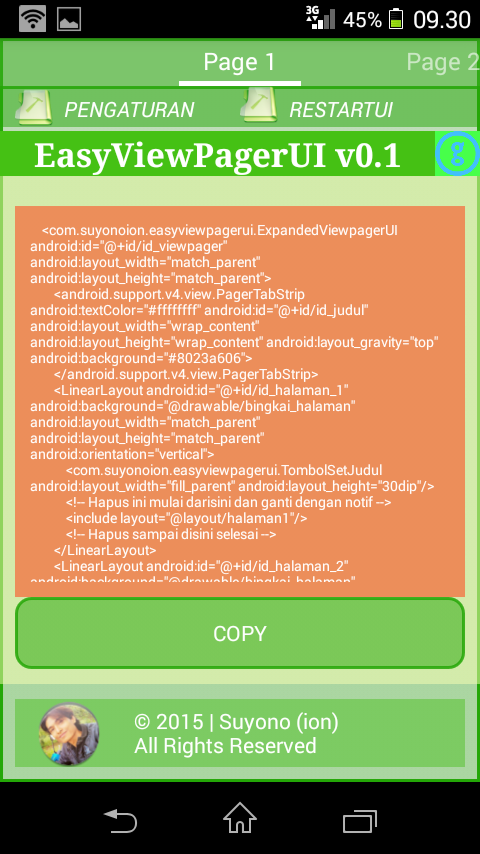
Screenshoot 1 :
Screenshoot 2 :
Screenshoot 3 :
Screenshoot 4 :
Screenshoot 5 :
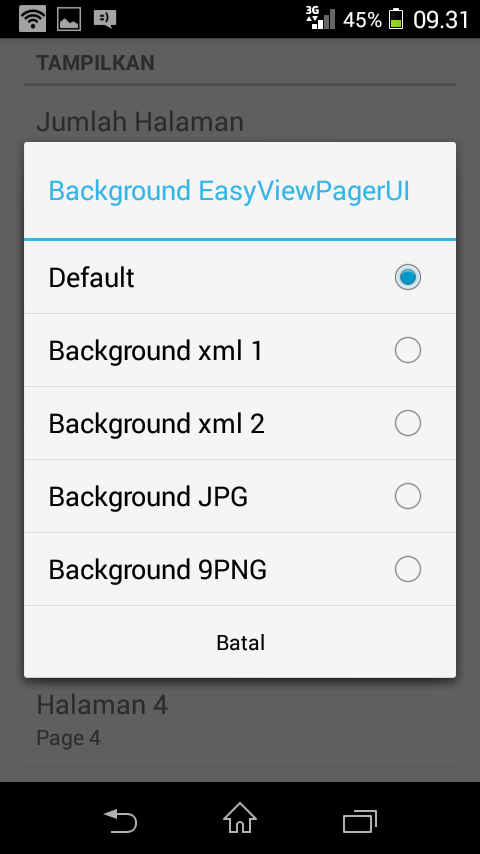
Screenshoot 6 :
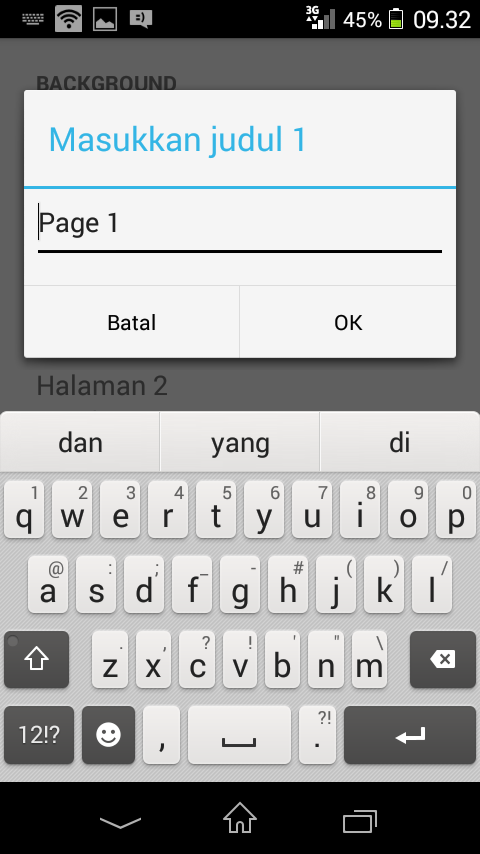
Screenshoot 7 :
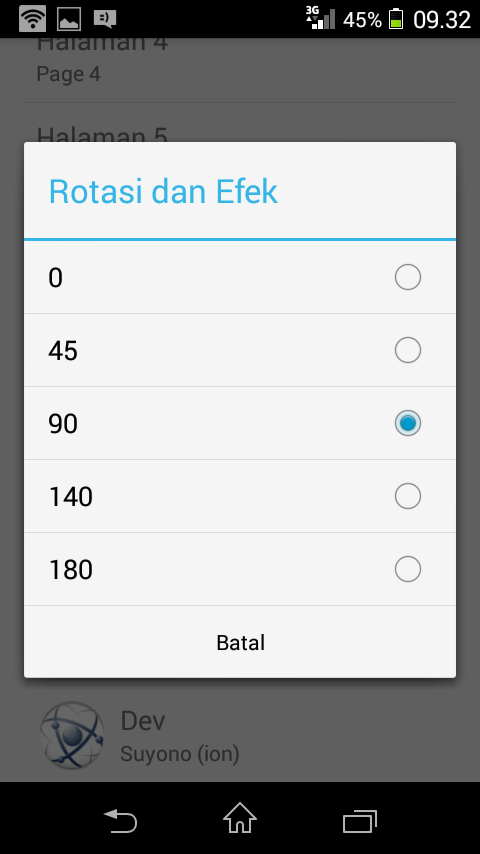
Screenshoot 8 :
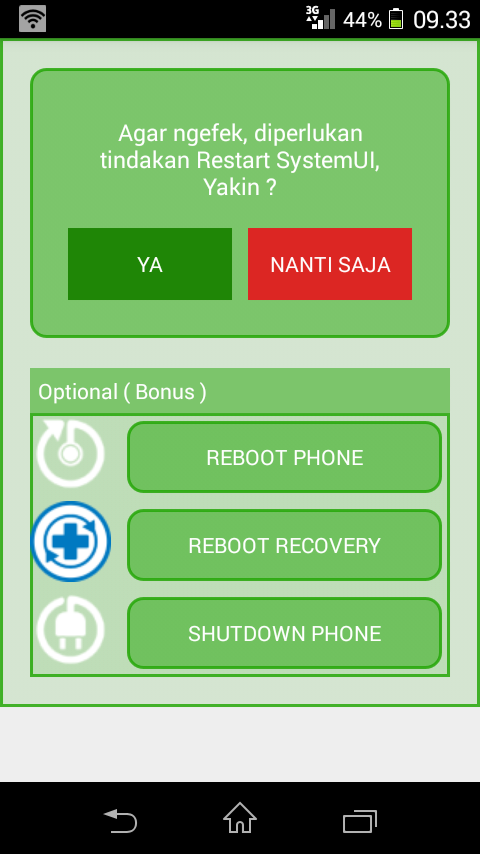
4. Referensi and Big thanks :
- ChainFire : https://github.com/Chainfire/libsuperuser)
- StackOverFlow for solutions : http://stackoverflow.com
a. http://stackoverflow.com/questions/3827356/setting-ui-preference-summary-field-to-the-value-of-the-preference
b. https://github.com/geftimov/android-viewpager-transformers/blob/master/android-viewpager-transformers/src/main/java/com/eftimoff/viewpagertransformers/CubeOutTransformer.java
c. http://stackoverflow.com/questions/531427/how-do-i-display-the-current-value-of-an-android-preference-in-the-preference-su
- Developers Android
a. Alert Dialog : http://developer.android.com/reference/android/app/AlertDialog.html
b. Prefrences : http://developer.android.com/guide/topics/ui/settings.html
- Alwiens Musthofa ( https://facebook.com/dindingberhala?fref=ts ) for Tips getIdentifier, simple tapi sangat bermanfaat, terimakasih.
- Hadi Hartono & Abdullah Ba'agil for Discussion : https://web.facebook.com/hadi.hartono.927 & https://web.facebook.com/abdullah.baagil.3
- All Admin and Members MaaadOn Group ( https://www.facebook.com/groups/maaadreborn/ )
Credit & Author & Developer :
Suyono (ion)
Contact me on Facebook :
https://www.facebook.com/suyono.ion
Alhamdulillah, Terimakasih Allah.
Wassalam.
<
<!--
EasyViewpagerUI v0.1 Settings.
EasyViewPagerUI in Anywhere.
This Project is CustomView ViewPager.
Updated :
1. Max menampilkan 7 pages.
2. Penambahan Fitur Settings
- Mengatur jumlah pages,
- Mengganti background EasyViewPagrUI,
- Mengganti judul page,
- Mengatur rotasi CubeOutTransformer,
- Info this EasyViewPagerUI v0.1 Settings.
3. Bonus (for rooted device)
- Restart SystemUI (Syarat terinstall BusyBox),
- Reboot phone,
- Reboot to recovery,
- Shutdown.
4. Seperti biasa NO COMPARE ID PUBLIC
5. Pasang dimanapun anda mau.
-->
-----------------GUIDE----------------------
BismillahirRohmanirRohiim...
1. Decompile SystemUI.apk
2. Mở AndroidManifest.xml
tìm code
</application>
đặt các code này nằm phía trên nó
<activity android:exported="true" android:label="Settings" android:name="com.suyonoion.easyviewpagerui.setEasyViewpagerUI"/>
<activity android:exported="true" android:label="RestartUI" android:name="com.suyonoion.easyviewpagerui.RestartUI"/>
3. Mở status_bar_expanded.xml
- tìm code
<com.android.systemui.statusbar.phone.NotificationPanelView android:id="@id/notification_panel" android:background="#00000000" android:paddingTop="@dimen/notification_panel_padding_top" android:layout_width="0.0dip" android:layout_height="wrap_content" android:layout_marginLeft="@dimen/notification_panel_margin_left"
xmlns:android="http://schemas.android.com/apk/res/android"
xmlns:systemui="http://schemas.android.com/apk/res/com.android.systemui">
đặt các code này nằm ngay dưới nó
<com.suyonoion.easyviewpagerui.ExpandedViewpagerUI android:id="@+id/id_viewpager" android:layout_width="match_parent" android:layout_height="match_parent">
<android.support.v4.view.PagerTabStrip android:textColor="#ffffffff" android:id="@+id/id_judul" android:layout_width="wrap_content" android:layout_height="wrap_content" android:layout_gravity="top" android:background="#8023a606">
</android.support.v4.view.PagerTabStrip>
<LinearLayout android:id="@+id/id_halaman_1" android:background="@drawable/bingkai_halaman" android:layout_width="match_parent" android:layout_height="match_parent" android:orientation="vertical">
<com.suyonoion.easyviewpagerui.TombolSetJudul android:layout_width="fill_parent" android:layout_height="30dip"/>
- tìm code
</com.android.systemui.statusbar.phone.NotificationPanelView>
đặt các code này nằm ngay phía trên nó
</LinearLayout>
<LinearLayout android:id="@+id/id_halaman_2" android:background="@drawable/bingkai_halaman" android:layout_width="match_parent" android:layout_height="match_parent" android:orientation="vertical">
<ScrollView android:layout_width="fill_parent" android:layout_height="fill_parent" android:layout_gravity="center">
<include layout="@layout/halaman2"/>
</ScrollView>
</LinearLayout>
<LinearLayout android:id="@+id/id_halaman_3" android:background="@drawable/bingkai_halaman" android:layout_width="match_parent" android:layout_height="match_parent" android:orientation="vertical">
<ScrollView android:layout_width="fill_parent" android:layout_height="fill_parent">
<include layout="@layout/halaman3"/>
</ScrollView>
</LinearLayout>
<LinearLayout android:id="@+id/id_halaman_4" android:background="@drawable/bingkai_halaman" android:layout_width="match_parent" android:layout_height="match_parent" android:orientation="vertical">
<ScrollView android:layout_width="fill_parent" android:layout_height="fill_parent">
<include layout="@layout/halaman4"/>
</ScrollView>
</LinearLayout>
<LinearLayout android:id="@+id/id_halaman_5" android:background="@drawable/bingkai_halaman" android:layout_width="match_parent" android:layout_height="match_parent" android:orientation="vertical">
<ScrollView android:layout_width="fill_parent" android:layout_height="fill_parent">
<include layout="@layout/halaman5"/>
</ScrollView>
</LinearLayout>
<LinearLayout android:id="@+id/id_halaman_6" android:background="@drawable/bingkai_halaman" android:layout_width="match_parent" android:layout_height="match_parent" android:orientation="vertical">
<ScrollView android:layout_width="fill_parent" android:layout_height="fill_parent">
<include layout="@layout/halaman6"/>
</ScrollView>
</LinearLayout>
<LinearLayout android:id="@+id/id_halaman_7" android:background="@drawable/bingkai_halaman" android:layout_width="match_parent" android:layout_height="match_parent" android:orientation="vertical">
<ScrollView android:layout_width="fill_parent" android:layout_height="fill_parent">
<include layout="@layout/halaman7"/>
</ScrollView>
</LinearLayout>
</com.suyonoion.easyviewpagerui.ExpandedViewpagerUI>
----------------------------------------------------------------------------------------------------
Recompile,
Chép META-INF từ SystemUI.apk qua SystemUI_src.apk
Tìm mọi thủ đoạn đưa UI vừa recom vào hệ thống
4. Demo Sample (Pilih Salah Satu) :
- GitHub : https://github.com/suyonoion/EasyViewPagerUI_v0.1_Settings/blob/master/Screenshots/EasyViewPagerUI_v0.1_SettingsViewpager.apk?raw=true
- DropBox : https://www.dropbox.com/s/sa4h8b7bsph92r8/EasyViewPagerUI_v0.1_SettingsViewpager.apk?dl=0
- Google Drive : https://drive.google.com/file/d/0B59mWGCip6hsUzlzN0FQUmdNcFU/view?usp=sharing
Screenshoot 1 :

Screenshoot 2 :

Screenshoot 3 :

Screenshoot 4 :

Screenshoot 5 :

Screenshoot 6 :

Screenshoot 7 :

Screenshoot 8 :

4. Referensi and Big thanks :
- ChainFire : https://github.com/Chainfire/libsuperuser)
- StackOverFlow for solutions : http://stackoverflow.com
a. http://stackoverflow.com/questions/3827356/setting-ui-preference-summary-field-to-the-value-of-the-preference
b. https://github.com/geftimov/android-viewpager-transformers/blob/master/android-viewpager-transformers/src/main/java/com/eftimoff/viewpagertransformers/CubeOutTransformer.java
c. http://stackoverflow.com/questions/531427/how-do-i-display-the-current-value-of-an-android-preference-in-the-preference-su
- Developers Android
a. Alert Dialog : http://developer.android.com/reference/android/app/AlertDialog.html
b. Prefrences : http://developer.android.com/guide/topics/ui/settings.html
- Alwiens Musthofa ( https://facebook.com/dindingberhala?fref=ts ) for Tips getIdentifier, simple tapi sangat bermanfaat, terimakasih.
- Hadi Hartono & Abdullah Ba'agil for Discussion : https://web.facebook.com/hadi.hartono.927 & https://web.facebook.com/abdullah.baagil.3
- All Admin and Members MaaadOn Group ( https://www.facebook.com/groups/maaadreborn/ )
Credit & Author & Developer :
Suyono (ion)
Contact me on Facebook :
https://www.facebook.com/suyono.ion
Alhamdulillah, Terimakasih Allah.
Wassalam.
<
